Latest release - Multiecuscan 5.4!
If you have an earlier version installed on your computer then you don't need to uninstall or deactivate it.
Simply download the latest version and install it. It will upgrade your current installation and take the license data from it (in case your license has not expired)!
Multiecuscan works on Windows XP SP2, Windows Vista, Windows 7, Windows 8, Windows 8.1, Windows 10 and Windows 11!
Multiecuscan now has a separate release for Windows 11. It works correct with the latest Windows 11 updates and also works correct on the systems with ARM procesors.
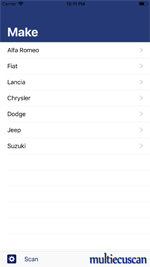
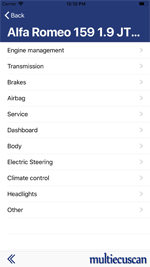
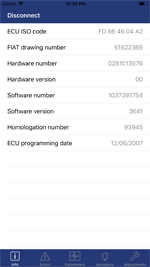
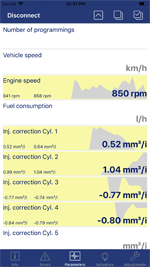
Multiecuscan is also available on App Store for iPhone/iPad devices!
Multiecuscan for iOS works with WiFi ELM327, CANtieCAR v4.x/v5.x, OBDLink MX WiFi, OBDLink MX+ Bluetooth, Vgate vLinker WiFi/BLE interfaces. The subscription for iOS version can be purchased from the App Store, and it is not linked to the license for Windows version.
The quick user guide for Multiecuscan app is available HERE.
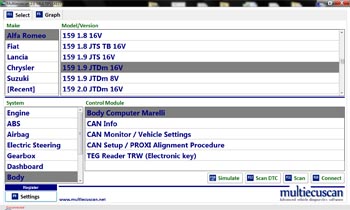
Multiecuscan is a vehicle diagnostic software with advanced functions.
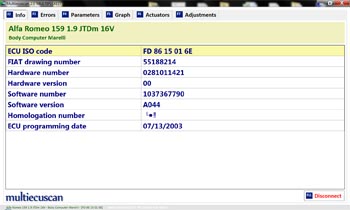
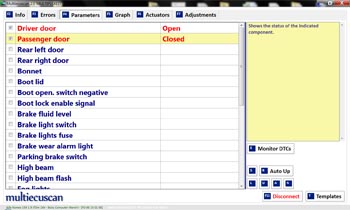
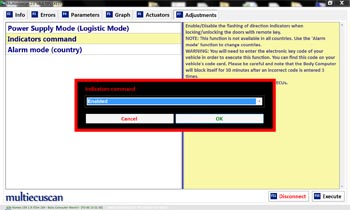
It allows you to perform various diagnostics tasks on the supported vehicles/modules.
In order to use the software you need an interface. The following interfaces are currently supported by the software:
KL (also known as VagCom 409), ELM327 (1.3 or newer),
OBDKey 1.40, OBDLink, ELM Scan 5, CANtieCAR, Vgate vLinker.
Please note that the Bluetooth OBDKey, ELM 327 and OBDLink interfaces are fully supported but not recommended for special functions (like PROXI Alignment, remote control programming, IMA coding, etc.) as they often fail to perform these advanced tasks!
CANtieCAR is a professional multi-protocol interface with multiplexing capabilities.
Vgate vLinker MS/Multiecuscan is a special multiplexed interface that can connect to newer CAN-only vehicles without the need of additional adapter cables. It is the only supported Bluetooth interface that can reliably perform PROXI alignment and other special procedures.
Please note that Multiecuscan now has a different version for computers with Windows 11! This version works correct with the latest Windows updates and does not require .NET Framework 2.0 anymore.
There are three types of licenses - FREE, REGISTERED and MULTIPLEXED, but the installation program is the same for all.
You can download current version from here:
If you need an older version of multiecuscan you can download it from:
DOWNLOAD OLD VERSION
PLEASE NOTE: Our email is flooded with complaints for incorrect operation and virus problems from people who use manipulated copies of Multiecuscan (bought from Chinese web sites and elsewhere).
We cannot take any responsibility for incorrect operation of non-geniune software and the problems it may cause to your computer and vehicle.
We will not reply to any email from users of this software and will not provide any support to them.
The geniune software has digital signature and can be downloaded from this web site. Licenses for the software can be purchased from
here or from one of the distributors.
ELM 327 INTERFACE WARNING:
Please note that some ELM 327 interfaces have problems accessing the CAN bus of some vehicles.
The problem can be easily fixed by simply removing one resistor from the interface.
The procedure is covered in the following topic on the forum: FAULTY ELM 327 INTERFACES DE-MYSTIFIED (READ HERE).
Multiecuscan FREE
This is the limited demo version of the software.
You can use it to explore the various functions of Multiecuscan.
Multiecuscan REGISTERED license
This is the full version of the software.
It supports a large number of modules in Fiat, Alfa Romeo, Lancia, Chrysler, Dodge, Jeep vehicles and also some Ducati bike models.
In order to use this full version you need to purchase a license. The license is valid for a SINGLE computer only!
You will also need an interface and may need an adapter cable to access the control modules in your car -
check the Vehicle support section for a complete list of supported modules and required interfaces/adapters for your vehicle.
You can buy a license from this web site or from one of the distributors.
 Multiecuscan MULTIPLEXED package Multiecuscan MULTIPLEXED package
This is a special bundle of the software which includes a specialized professional interface.
The included interface has multiplexing capabilities, it has support for all vehicles/modules and does
not need additional adapters (except the 3-pin adapter for the old vehicles).
The license of the software in this bundle is locked to the interface and you may install it on any number
of computers but you can use it only with the included interface.
You can buy the bundle from this web site using PayPal or from one of the distributors.
 Multiecuscan MS package Multiecuscan MS package
This is a bundle which includes a Vgate vLinker MS/Multiecuscan interface, a license for Multiecuscan REGISTERED for Windows
and 2 years full functionality of Multiecuscan for iOS.
The bundle is suitable for the iPhone/iPad Multiecuscan app and it does not require additional adapter cables for Giulia, Stelvio, Tonale, Giulietta, MiTo, 500, 500x, 500L, Renegade
and most newer models after 2012.
The vLinker MS device is the only Bluetooth interface that can reliably perform PROXI alignment and other special procedures.
Multiecuscan for iPhone/iPad
This version has the same coverage and functionality as Multiecuscan for Windows.
The license for iPhone/iPad version is completely separate and not linked to Multiecuscan for Windows.
It can only be purchased from Apple’s App Store. The licensing is also different - it can be purchased only for a year and stops working after the period expires.
You will need an iOS certified Bluetooth interface or a WiFi interface.
The iPhone Multiecuscan app works only with WiFi ELM327, CANtieCAR v4.x/v5.x, OBDLink MX WiFi, OBDLink MX+ Bluetooth interfaces.
Also, connection to older vehicles (like before year 2000) is only possible with CANtieCAR as the other interfaces do not support some old communication protocols.
The subscription for iOS version can be purchased from the App Store - install and start the Multiecuscan app, then tap the cart icon on top/right.
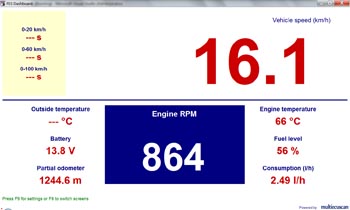
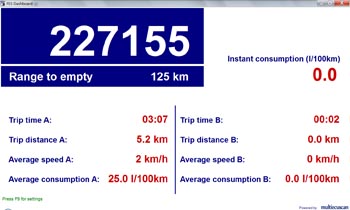
FES Dashboard
This is a digital dashboard/trip computer. The software reads data from vehicle's CAN network and displays it on screen. It currently supports only the vehicles with 11-bit CAN systems (like Punto Mk2, Stilo, Bravo'07, Croma, 147, 159, Delta, Thema) by using a regular ELM327 interface.
The software uses customizable screen templates to display the data. It also supports multiple screens and can be controlled with steering wheel controls.
This software currently has versions for Windows and Windows Mobile. It is completely free and does not require license.
PLEASE NOTE THAT WE DO NOT SUPPORT THIS SOFTWARE ANYNORE!
Supported functions
| Function |
FREE |
REGISTERED
50 EUR
Purchase |
MULTIPLEXED
342 EUR
Purchase |
iPhone/iPad |
| KL (VagCom 409) USB interfaces |
Yes |
Yes |
No |
No |
| ELM 327 USB/BT/WIFI interfaces |
Yes |
Yes |
No |
Yes, WIFI only |
| OBDKey USB/BT interface |
Yes |
Yes |
No |
No |
| Vgate USB/BT/WIFI interface |
Yes |
Yes |
No |
Yes, BT/WIFI |
| OBDLink USB/BT/WIFI interface |
Yes |
Yes |
No |
Yes, BT/WIFI |
| CANtieCAR interface with multiplexing capabilities |
No |
No |
Yes |
Yes |
| Pin switching, connecting to different CAN busses |
manual - with adapter cables |
manual - with adapter cables |
automatic |
auto (CANtieCAR), manual (other interfaces) |
| License type |
N/A |
single computer,
many interfaces |
many computers,
single interface |
1-year subscription |
| Read ECU identification |
Yes |
Yes |
Yes |
Yes |
| Clear fault codes |
Yes, for the FREE modules |
Yes |
Yes |
Yes |
| Read diagnostic data |
Yes, for the FREE modules |
Yes |
Yes |
Yes |
| Max number of parameters that can be selected simultaneously |
4 |
Unlimited |
Unlimited |
Unlimited |
| Actuator tests |
Yes, for the FREE modules |
Yes |
Yes |
Yes |
| Parameter monitoring while executing an actuator test |
No |
Yes |
Yes |
No |
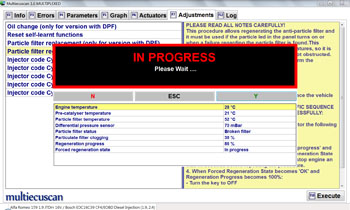
| Reset/Programming functions |
No |
Yes |
Yes |
Yes |
| CAN modules diagnostics (See Supported Vehicles section for a list of these modules) |
No |
Yes |
Yes |
Yes |
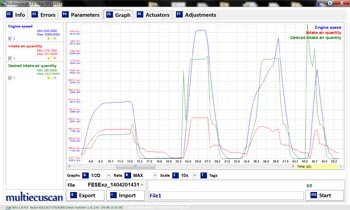
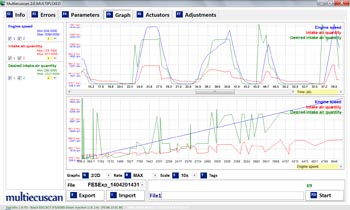
| Display data in graph |
Yes, 1 graph |
Yes, up to 4 graphs |
Yes, up to 4 graphs |
Yes |
| Max number of parameters on a graph |
4 |
10 |
10 |
10 |
| Multiple graph files |
No |
Yes |
Yes |
No |
| Insert tags in recorded data |
No |
Yes |
Yes |
No |
| Export data to CSV file |
Yes |
Yes |
Yes |
No |
| Auto-export data to CSV files |
No |
Yes |
Yes |
No |
| Import CSV data files |
No |
Yes |
Yes |
No |
| Multilanguage UI |
Yes |
Yes |
Yes |
Yes |
Multilanguage data (parameter names, errors, etc.).
Supported languages: English, Deutsch, Italiano, Français, Polski, Český, Magyar, Русский, Español, Nederlands, Türkçe, Danish, Croatian, Portuguese(BR), Български |
No |
Yes |
Yes |
Yes |
| Detailed description for Parameters, Errors, etc. in English, Italian, Polish, German, French, Czech or Turkish |
Yes, only English |
Yes |
Yes |
Yes |
| Parameter templates (a pre-selected group of parameters that can be selected with a single keypress) |
No |
Yes |
Yes |
No |
| Test run on any ECU ("simulation" mode) without interface |
Yes |
Yes |
Yes |
Yes |
| Auto-saved logs for each diagnostic session |
No |
Yes |
Yes |
No |
| Time limit for a session |
Yes, 20 minutes |
No limit |
No limit |
No limit |
Currentntly supported control modules:
See Vehicle support section for a complete list of supported modules on each make/model
Engine Management
- Bosch EDC15
- Bosch EDC15C7
- Bosch EDC16/CF3 Multijet
- Bosch EDC16/CF4 Multijet
- Bosch EDC16/CF5 Multijet
- Bosch EDC17C49 CF5/CF5+ Multijet
- Bosch EDC17CP52 CF5 Multijet
- Bosch EDC17C69 CF6 Multijet
- Marelli 6JF Multijet
- Marelli 6F3 Multijet
- Marelli 8DF/CF5 Multijet
- Marelli 8F3 CF5/CF5+ Multijet
- Marelli 9DF CF6 Multijet
- Visteon CF4 Diesel
- Bosch MSA 11
- Lucas DPNC TD100
- Lucas EPIC DCU3F
- Bosch Monomotronic MA1.7.3
- Bosch Monomotronic MA1.7
- Bosch Motronic ML4.1
- Bosch Motronic M1.7
- Bosch Motronic M3.7.1
- Bosch Motronic M2.10.3
- Bosch Motronic M2.10.4
- Bosch Motronic M1.5.5
- Bosch Motronic ME2.1
- Bosch Motronic ME3.1
- Bosch Motronic ME7.3.1
- Bosch Motronic ME7.3H4
- Bosch Motronic ME7.3H4M
- Bosch Motronic MED7.11
- Bosch Motronic Me7.6.3/CF4
- Bosch Motronic Me7.9.10/CF5
- Bosch Motronic MeD7.6.1/CF4
- Bosch Motronic MeD7.6.2/CF4
- Bosch Motronic MeD17.3.1 CF5
- Bosch Motronic MeD17.3.3 CF6
- Bosch Motronic MeD17.3.5 CF6
- Hitachi MPI
- Magneti Marelli IAW 1AF
- Magneti Marelli IAW 1AB
- Magneti Marelli IAW 5NF
- Magneti Marelli IAW 4AF/4EF/59F/5AF
- Magneti Marelli IAW 4GF BI/BLU-Power
- Magneti Marelli IAW 49F
- Magneti Marelli IAW 4GF
- Magneti Marelli IAW 4SF
- Magneti Marelli IAW 4SFG
- Magneti Marelli IAW 4DF
- Magneti Marelli IAW 5SF CF4
- Magneti Marelli IAW 4AF/4EF GAS
- Magneti Marelli IAW 5AF GAS
- Magneti Marelli IAW 5SF3/CF4
- Magneti Marelli IAW 5SF8/CF5
- Magneti Marelli IAW 5SF9/CF5
- Magneti Marelli IAW 7GF
- Magneti Marelli IAW 8GSF CF5
- Magneti Marelli IAW 8GSW CF5/CF5+/CF6
- Magneti Marelli IAW 8GMF CF5
- Magneti Marelli IAW 8GMK CF5/CF6
- Magneti Marelli IAW 8GMW CF5
- Magneti Marelli IAW 9GF CF6
- Magneti Marelli IAW 10GF CF6
- Magneti Marelli IAW 10JA CF6
- Magneti Marelli IAW 11GF CF6
- Delphi MT25E Injection
- Delphi MT27E Injection
- Motorola GM MPFI Injection
- Landi Renzo LC02 LPG
- Metatron 6A0/EOBD CNG
- Metatron 6A0 CNG
- Metatron 5D0/EOBD CNG
Transmission
- Marelli SELESPEED (old Alfa 156 SELESPEED)
- Marelli SELESPEED CFC208F
- Marelli SELESPEED CFC209F
- Marelli SELESPEED CFC218F
- Marelli SELESPEED CFC228F
- Marelli SELESPEED CFC300
- Marelli SELESPEED CFC308
- Marelli SELESPEED CFC319
- Marelli SELESPEED CFC328
- Marelli SELESPEED CFC328F
- Marelli SELESPEED CFC348
- Marelli SELESPEED CFC419F
- Marelli SELESPEED CFC428F
- Marelli SELESPEED CFC448F
- Marelli SELESPEED/DDCT CFC8TDF
- Marelli SELESPEED/DDCT CFC8TDW
- AISIN TIP-System
- AISIN Q-System
- AISIN AF40-6
- AISIN YLII 5
- AISIN AW6F25
- FUJI SG-CVT
- ZF 4HP20
- ZF 4HP18K
- ZF 8HP50/75
- ZF 9HP48/948TE
- Chrysler 62TE
- 4x4/AWD/4WD coupling control
Brake system
- Bosch ABS 5.7 VDC/ASR/TC
- Bosch ABS 8 VDC/ASR/ESP
- Bosch ABS 9 /ESP
- Lucas EBC 430 ABS
- Bosch ABS Teves MK20/MK70
- Bosch ABS 5.3 TC/ASR
- TRW Lucas ABS/ESP/EPB
- TRW ABS/ESP/EPB
- Continental MK60EC ABS/ESP
- Continental MK100 ABS/ESP
- Continental MK C1 ABS/ESP
- Electronic Parking Brake LUCAS
Steering control
- TRW Electric Power Steering
- Delphi Electric Power Steering
- SAGEM Power Steering
- Mitsubishi Electric Power Steering
- ZF Electric Power Steering
- Steering Lock TRW
- Steering column control module Delphi
Airbags
- ALLIED SIGNAL Airbags
- ALLIED MY97 Airbags
- BREED Airbags
- BREED MY97 Airbags
- TRW 2 Airbags
- TRW MY97 Airbags
- AUTOLIV MY99 Airbags
- SIEMENS MY99 Airbags
- TRW MY99 Airbags
- TRW MY03 Airbags
- TRW MY05 Airbags
- AUTOLIV MY06 Airbags
- SIEMENS MY06 Airbags
- AUTOLIV MY07 Airbags
- CONTINENTAL Airbags
- TRW Airbags
- Electronic Pedestrian Protection Module
Body/Dashboard/Misc.
- Service Interval Reset
- CAN Setup / PROXI Alignment Procedure
- Remote control/key programming
- Radio frequency hub (RFHUB) Continental
- Delphi/Marelli Body Computer
- Marelli MF Body Computer
- Marelli Body Computer
- Delphi Body Computer
- Siemens Body Computer
- Visteon Instrument Panel
- Marelli Instrument Panel
- Nippon Instrument Panel
- Siemens Instrument Panel
- Siemens VDO Instrument Panel
- Mannesman VDO Instrument Panel
- MTA Instrument Panel
- Continental Instrument Panel
- Connect (NAV) Marelli
- Connect (NAV) Siemens
- Uconnect Radio/Nav
- Convergence Lauberhorn (Blue&Me)
- Convergence Marelli/Microsoft (Blue&Me)
- Valeo parking control
- Bosch parking control
- BITRON Driver door, Passenger door and Boot
- G.E. PROCOND Driver door, Passenger door and Boot
- MARELLI Driver door, Passenger door and Boot
- TRW Driver door and Boot
- CONTINENTAL Driver door and Passenger door
- LEAR driver/passenger power seats
- Hood Control WEBASTO
- Electric Hood Control DURA
- Bosch XENON headlights
- Valeo XENON headlights
- Hela XENON headlights
- Litronic XENON headlights
- Delphi Climate Control
- Denso Climate Control
- Harrison Climate Control
- KDAC Climate Control
- Comfort seat and wheel (CSWM)
- Tyre Pressure Control (TPMS) TRW
- Tyre Pressure Control (TPMS) SCHRADER
- Air suspension control Continental
- Suspension control Sachs CDC
- Suspension control Marelli
Requirements:
Multiecuscan for Windows XP, Vista, 7, 8, 8.1, 10
- A computer that runs Windows XP, Windows Vista, Windows 7 (32/64), Windows 8/8.1 (you may need to install .NET Framework 3.5), Windows 10
- Microsoft .NET Framework Version 2.0 SP1 (or 3.5 for Windows 10). Free, available from www.microsoft.com.
- KKL, ELM 327 v1.3+, OBDLink, ELMScan, OBDKey 1.40, Vgate or CANtieCAR interface
- 1.5GHz CPU and better recommended
For further details and question please visit our forum.
Multiecuscan for Windows 11
- A computer that runs Windows 11
- KKL, ELM 327 v1.3+, OBDLink, ELMScan, OBDKey 1.40, Vgate or CANtieCAR interface
- 1.5GHz CPU and better recommended
For further details and question please visit our forum.
Download
You can download current version of Multiecuscan from here:
Download multiecuscan 5.4
The file is an installer. It will install the program and all required files on your computer.
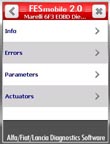
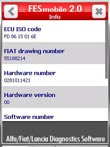
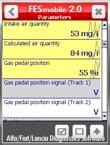
You can download current version of FESmobile from here:
Download FESmobile 2.2 CAB installer
The file is a CAB installer. It will install the program and all required files on your Windows Mobile/Windows CE device.
You have to uninstall the previous version first!
It is also available as a RAR archive:
Download FESmobile 2.2 RAR package
This is suitable for Windows CE devices!
You have to unpack this RAR in a folder on your Windows CE device and then run FESmobile.exe from that folder.
You can purchase a license for Multiecuscan REGISTERED version
HERE.
You can purchase Multiecuscan MULTIPLEXED package
HERE.
|
| Multiecuscan for iPhone/iPad |
|
| Multiecuscan |
 |
 |
 |
 |
 |
 |
 |
 |
| FES Dashboard |
 |
 |
| FESmobile |
|
|